
What Is A+ Content and How to Add It on Shopify
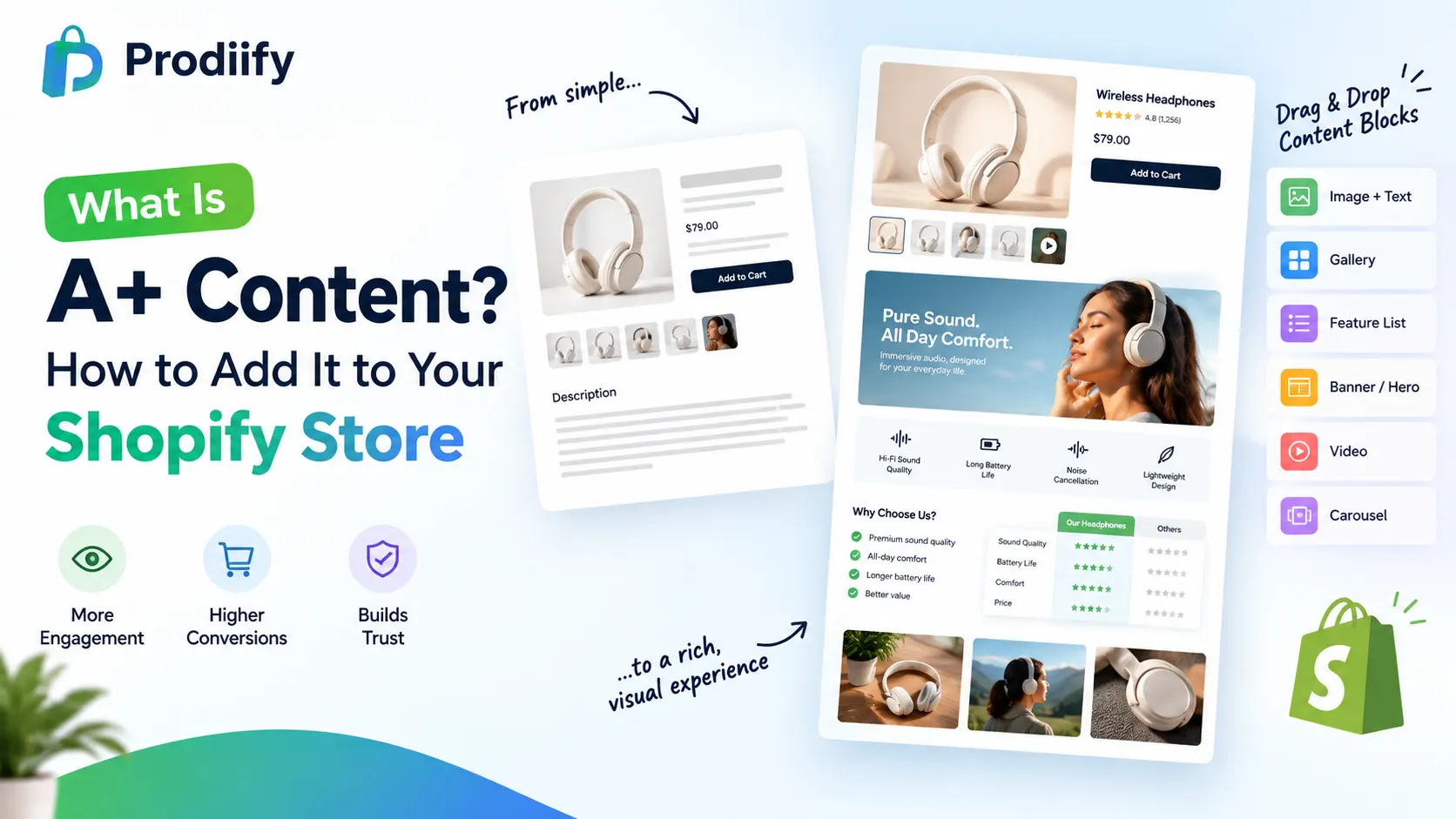
If you’ve ever sold on Amazon, you’ve probably seen A+ Content in action — those rich, visual sections below a product’s basic description with comparison charts, lifestyle photo galleries, and feature callouts. It’s one of the most effective tools brands use to turn browsers into buyers.
The catch: Shopify doesn’t offer anything like it natively. Here’s what A+ Content actually is, why it works, and how to bring the same experience to your Shopify store.
What Is A+ Content?
A+ Content (also called Enhanced Brand Content, or “Rich Media” on platforms like Walmart) is a set of visual, modular content blocks brands add to a product listing beyond the standard title, bullet points, and description. Instead of a wall of text, shoppers see things like:
- Side-by-side comparison charts of product variants or against competitors
- Lifestyle photo galleries showing the product in real use
- Feature callouts with icons and short, benefit-driven copy
- Embedded product videos
- Full-width banners highlighting a key selling point
The goal is simple: give shoppers who are already interested enough information, visually, that they don’t need to leave the page to make a decision.
Why A+ Content Works
Standard product pages rely on shoppers reading a block of text to understand what makes a product worth buying. A+ Content replaces reading with scanning — visual hierarchy, imagery, and short callouts communicate the same information faster and more persuasively. For a shopper who’s already on the fence, that difference often decides whether they buy or bounce.
It also builds trust. A well-designed, richly detailed product page signals a more established, credible brand than a page with a single paragraph and a photo grid — even if the underlying product is identical.
The Problem: Shopify Doesn’t Offer This Natively
Amazon and Walmart both have built-in systems for A+ Content / Rich Media. Shopify doesn’t. Most Shopify stores are left with one of three options:
- A single text block and basic image gallery — the default, and the least persuasive option
- Custom theme development — hiring a developer to build rich sections into the product template, which is slow and expensive, and needs to be redone every time you want a new layout
- A dedicated app built for this purpose — the fastest way to get Amazon-style rich content without touching code
How to Add A+ Content to Shopify Without a Developer
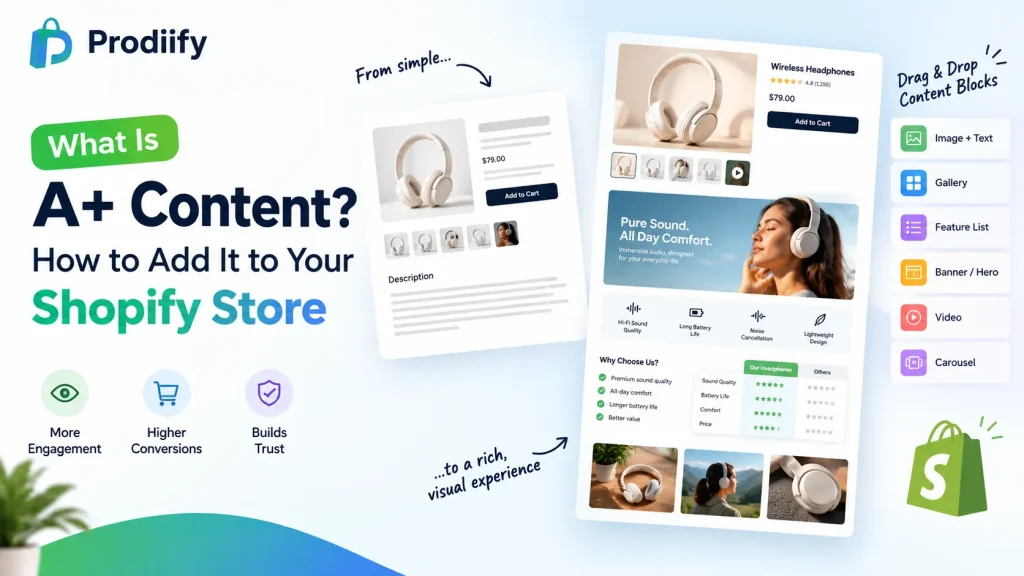
This is exactly what Prodiify’s MediaXL feature is built for. Instead of custom theme work, MediaXL gives you ready-made, drag-and-drop content blocks you can add directly to any product page:
- Image + Text — pair a lifestyle or detail photo with a focused message
- Gallery — showcase multiple angles, use cases, or variants in one module
- Feature List — break down specs and benefits into a scannable visual layout
- Banner / Hero — a full-width section for a key selling point or promotion
- Video — embed product demos or lifestyle video directly in the listing
- Carousel — rotate through multiple images or messages in a compact space
Every block is fully responsive out of the box, and everything is managed from the Prodiify dashboard inside Shopify admin — no theme file edits, no code, no design team required.
A+ Content and SEO: Two Different Jobs
It’s worth separating these clearly: A+ Content-style visual sections help conversion — turning a visitor into a buyer once they’re already on the page. SEO (titles, descriptions, meta tags, alt text) helps discovery — getting that visitor to the page in the first place. You need both, and ideally from tools that work together rather than requiring separate apps and separate workflows. Prodiify’s MediaXL sits alongside its AI-generated SEO content for exactly this reason — so your product pages are built to be found and built to convert.
Getting Started
- Connect your store — install Prodiify from the Shopify App Store; it syncs with your catalog instantly
- Open MediaXL on a product — choose from the six ready-made blocks and drag them into place
- Publish — push the rich content live in seconds, on one product or across your catalog in bulk
Is A+ Content Right for Your Shopify Store?
A+ Content isn’t just an Amazon feature anymore — it’s a proven pattern for turning plain product pages into ones that actually convert. Shopify stores don’t need a developer or a redesign to get it; a dedicated tool built for the job gets you there in minutes.
Want to see what A+ style content looks like on your own Shopify product pages? Install Prodiify free on the Shopify App Store and try MediaXL on your first product.
FAQs- About A+ Content Shopify
- Is A+ Content the same thing as Rich Media?
Yes — different platforms use different names for the same concept. Amazon calls it A+ Content or Enhanced Brand Content; Walmart calls it Rich Media. The idea is the same: rich, visual modules added to a product page beyond the basic description.
2. Does Shopify have a built-in A+ Content feature?
No. Shopify’s default product page is a text description and image gallery. Rich, modular content requires either custom theme development or a dedicated app like Prodiify’s MediaXL.
3. Will A+ Content actually improve my conversion rate?
It’s a well-established pattern on Amazon and Walmart specifically because it helps undecided shoppers get the information they need without leaving the page. Results vary by store and product, but richer, more visual product pages generally perform better than plain text blocks.
4.Do I need a developer to add rich content to my Shopify store?
Not with a drag-and-drop tool like MediaXL — you can build and publish rich content blocks directly from the Prodiify dashboard with no coding or theme edits required.
5.Does adding A+ Content-style sections hurt my page speed or SEO?
Not if it’s built responsibly — MediaXL’s blocks are designed to be fully responsive and lightweight. Pair it with proper image compression and alt text (which Prodiify also generates) to keep both speed and SEO intact.
6.Can I use A+ Content on just a few products, or does it need to be store-wide?
You can add it to individual products or roll it out in bulk across your catalog — it doesn’t need to be all-or-nothing.